Arrow keys pan, plus and minus zoom, F fits everything, slash searches. With an invention selected, left and right arrows step to what it was built on and what it led to.
Tomorrow’s Tech Tree1900–2100
0 inventions · 0 links · 0 domains
Open Domains to select exactly which domains are active. Tap any domain to show or hide it, or turn All domains off and build your own view.
Play history
Inventions so far, by domain
Guide
How to use Tomorrow’s Tech Tree
A map of how technology grew from 1900 and where it may go by 2100. Every star is an invention, every line says what led to what.
1Read the map
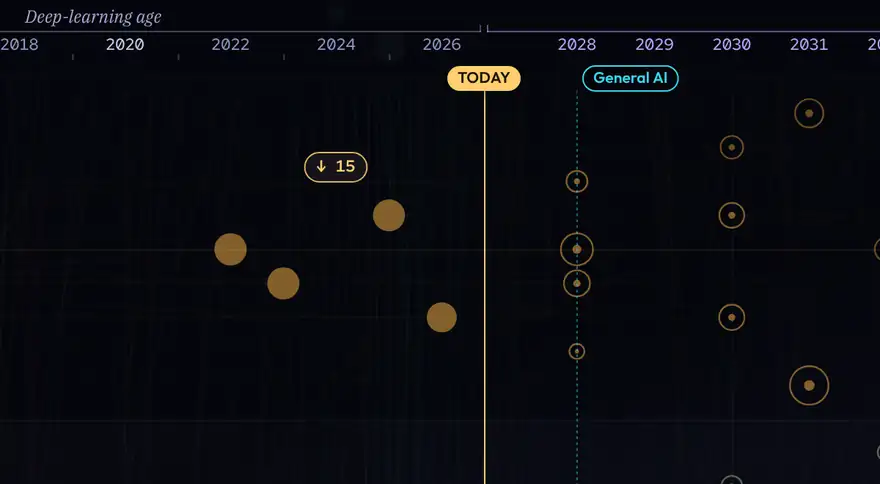
- Rows are domains, such as Energy or Medicine. Left to right is time, 1900 to 2100.
- The gold TODAY line splits what exists from what is forecast.
- Invented Likely, 60%+ Plausible, 25 to 59% Speculative, under 25%
- Bigger stars are the ones more later inventions built on.
2Economy
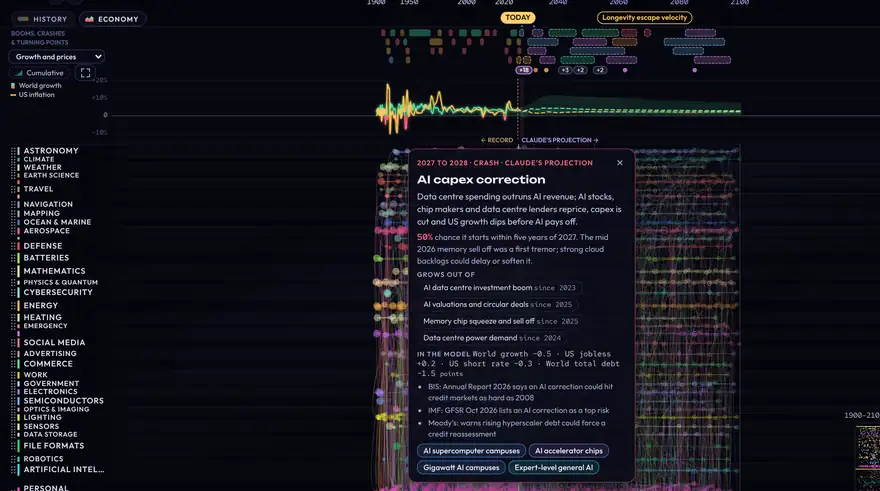
- Press Economy at the top left, or E. A band opens under the years.
- The picker in the left gutter switches what the band draws: growth and prices, productivity, jobs, interest rates, stocks and oil, debt, living standards, inequality and trade, or technology prices. Below those, One measure lists every series on its own, from world growth and world GDP to the price of solar panels. Past today every line turns dashed: an illustrative model path, with its scenario range shaded.
- The expand button beside Cumulative, on the left of the graph, grows it to most of the screen for a closer look; press it again to shrink it back.
- Cumulative redraws whatever the picker shows as growth since 2000, 2020 or 2025, whichever you pick. Yearly growth rates are added up, so world growth becomes the size of the world economy and inflation becomes the price level. Prices and other amounts show as a multiple of their value in that year. Rates and shares, such as unemployment or debt, do not add up over time, so Cumulative is greyed out for them.
- Booms, crashes, price spikes and turning points sit along the top. Click one to read what caused it, how likely a future one is, what it grows out of today, and to light the inventions behind it. Where they crowd together, a dot or a +3 chip below the rows opens the rest.
- Hover the band for any year's numbers. Open a star that moved the economy and its card says what it did, with how much and a source.
3Explore a star
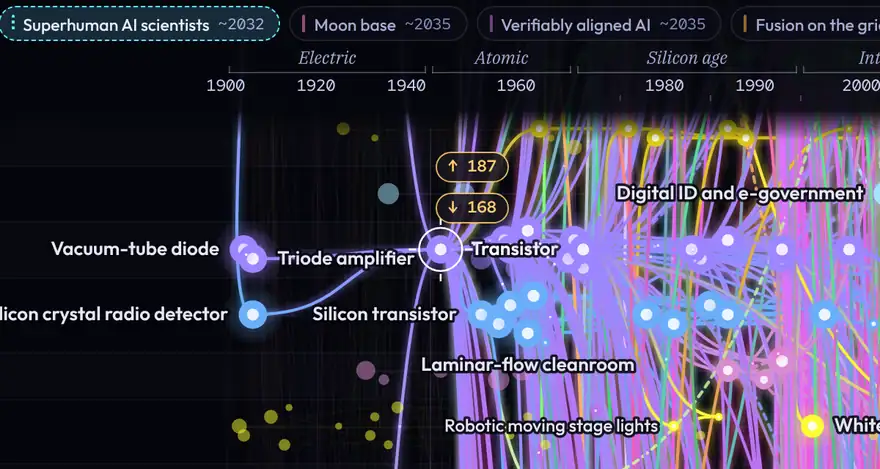
- Hover a star for its name, year and lineage.
- Click a star to keep its lineage lit: everything it built on and everything it led to.
- Counters at the screen edges, such as ← 18, say how many lit stars lie off screen; click one to frame them all.
- ← → walk along the lineage, Backspace goes back along your trail.
- Right-click empty sky or press Esc to clear.
4Highlight domains
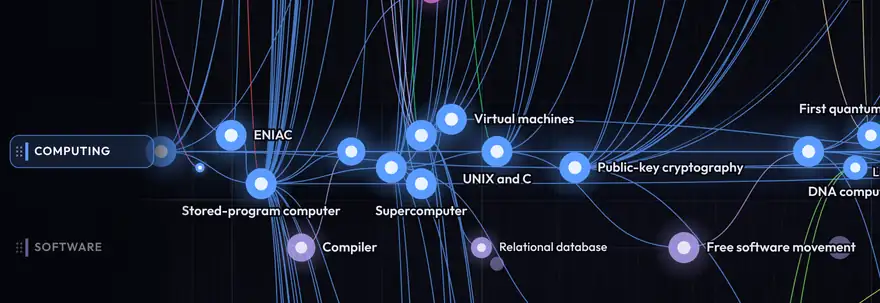
- Click a domain name on the left to highlight its row. Click more names to combine rows; click again to turn one off.
- The coloured chips along the bottom do the same, and scroll sideways through all 74 domains.
- Drag a domain name up or down to reorder the rows. Reset rows appears at the top to undo it.
5The info card
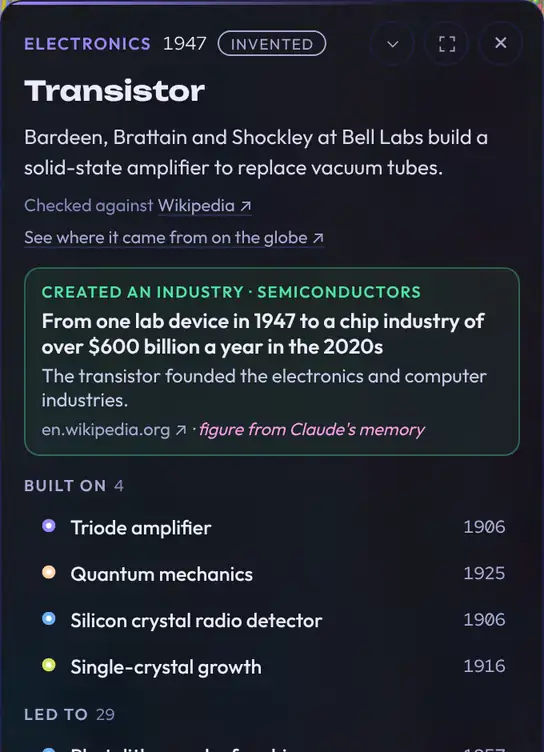
- Shows what the star is, when, its source, what it was built on and what it led to; click any of those to jump there.
- Forecast cards state the event and probability deadline explicitly, with evidence and resolution criteria where reviewed. The displayed planning year is separate from that deadline.
- Feasible now marks forecasts whose technology already exists but nobody has done yet.
- See where it came from on the globe opens the Invention Globe, flown to that star's birthplace. The Globe button at the top opens it too.
- Reviewed devices distinguish capability, first deployment and adoption. Unknown adoption remains unknown; illustrative cohort projections state their market and assumptions.
- Drag the card's title bar to move it anywhere; double-click the title bar to put it back. The chevron minimises it.
6Show and hide

- The Show pills at the bottom right switch each kind of star on and off: solid means shown, dotted means hidden.
- Probability determines a forecast's star style. The secondary Claude and Astra switches can include additional forecasts; switching an author off does not hide a star already shown by its probability.
- Lines turns the web of connections off; a star's lines then appear only when you hover or click it.
7Time tools

- Milestones along the top draw a line for a big moment, such as General AI. Click one to step its line from off to dotted to solid and back to off; hover to preview.
- The History band under the years shows wars, pandemics and crises; hover one to tint its years, click to keep it.
- Spread the years without zooming: drag along the year ruler to widen one era, or use the Spread − and + buttons. Double-click an era on the ruler to put it back.
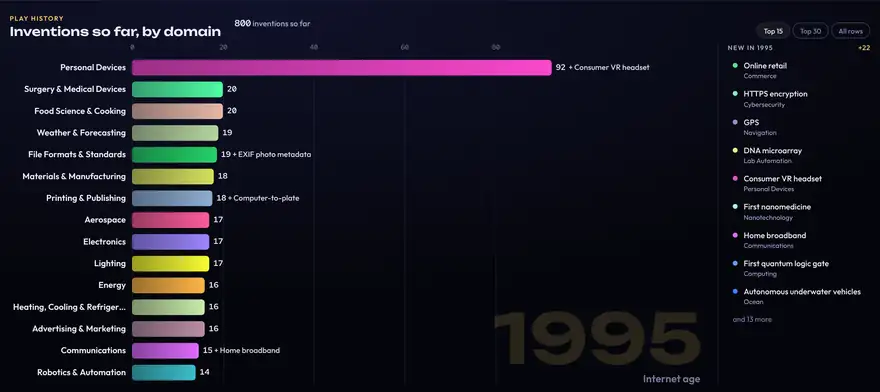
- Play history runs a bar chart race from 1900 to 2100: one bar per domain grows as its inventions arrive and the leaders overtake each other. Striped bar ends are forecasts. Space pauses, drag the timeline to scrub, and click a new invention to see it on the map.
8Your own forecasts
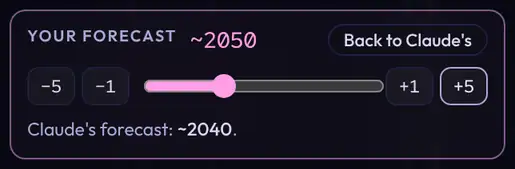
- Open a forecast and set your own year with the −5 −1 +1 +5 buttons or the slider, or drag the selected star sideways.
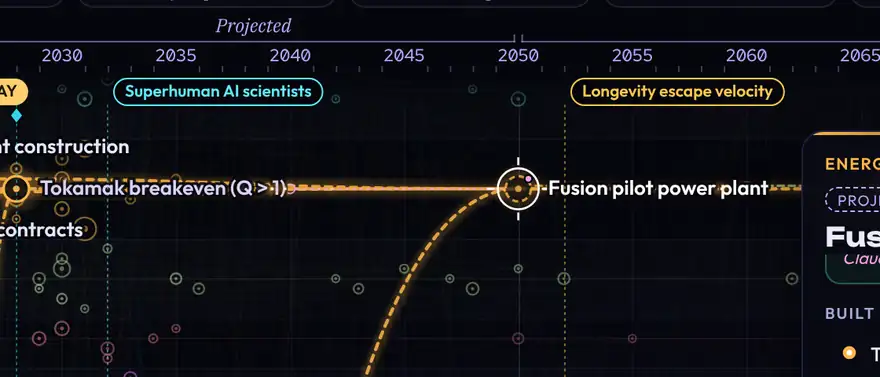
- Stars built on it move with it, earlier or later, so the order always makes sense. A pink pin marks the ones you set and a faint ring shows where Claude put them.
- Reset all moved stars, in pink at the top or in the card, puts every forecast back. Undo stays there for 10 seconds.
9Guided tours
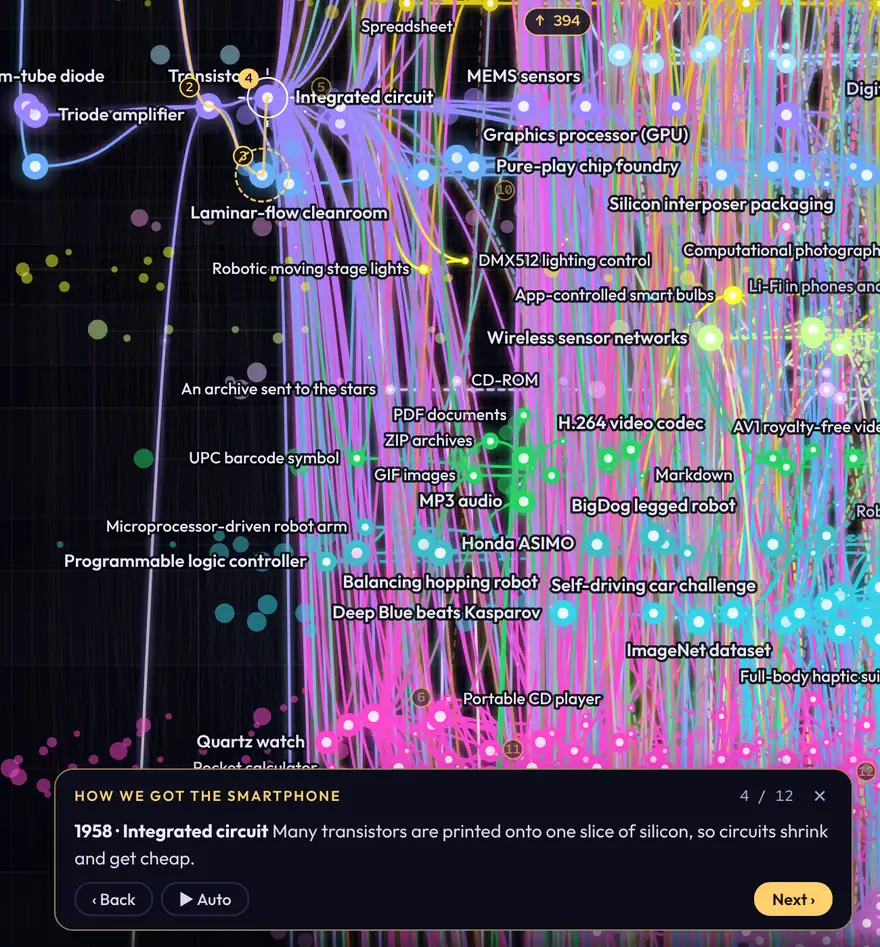
- Press Tours beside the search bar and pick a story, such as How we got the smartphone or The road to general AI.
- The map flies from stop to stop along a gold thread, with one line of narration each time and the star's card open.
- Next and Back (or the arrow keys) step through it; Auto (or Space) plays it on its own. Esc or ✕ ends the tour.
10What if
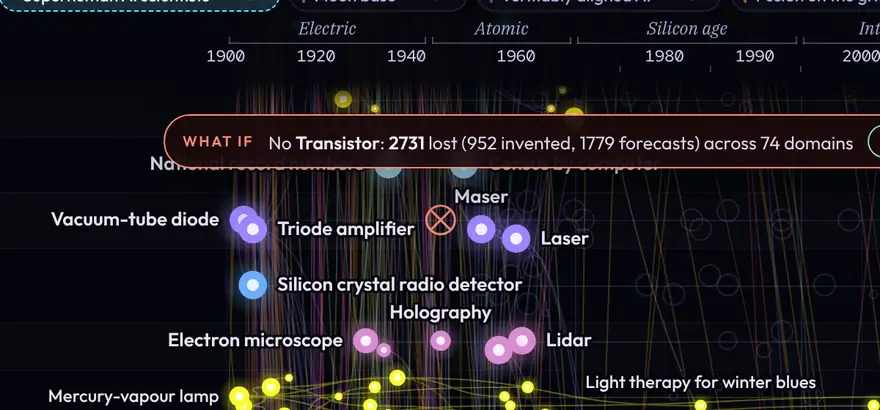
- Open any star and press What if there were no …? under its card's forecast controls, or press W.
- Everything that could not exist without it fades to grey: what is built on it, directly or further down, and hidden prerequisites the lines don't show (Linux needs the microprocessor it ran on). The banner counts what is lost and across how many domains.
- Switch off more stars to combine them. Click a grey star to see which missing invention it needed.
- Bring it back in the card, Undo or Bring everything back in the banner, or Esc, restores the map.
11Move around

- Drag to pan, scroll or pinch to zoom, or use the + and − buttons just above the minimap at the bottom right.
- Fit all shows the whole map again.
- Domains beside Fit all shows just a set of rows, such as Digital or Life & health, or your own pick. A lit lineage says how many of its stars sit in rows you have hidden.
- The small map in the corner shows where you are; click or drag in it to jump.
- Zoom in and the smaller stars grow, so they are easy to see and click.
12Search
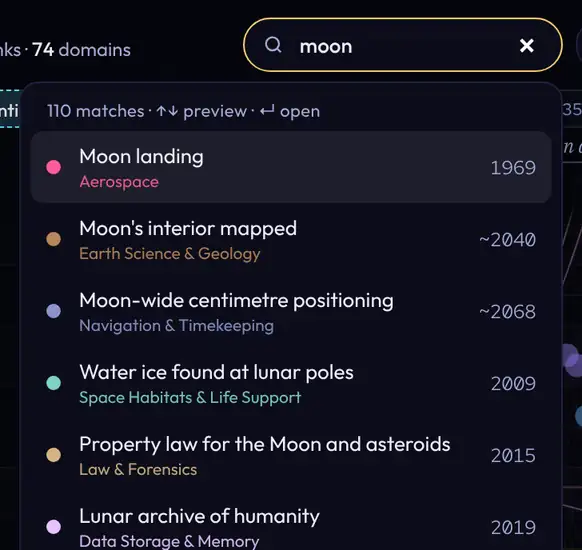
- Type an invention, a domain or a year. Everyday words work too: "moon" finds lunar bases.
- Matches light up on the map; pick one to fly to it. Press / to start a search.
13Keys
- /
- Search
- ← →
- Walk the lineage, or pan
- Backspace
- Back along your trail
- F · 0
- Fit all · start view
- 1 – 5
- Invented, likely, plausible, speculative, Claude's own
- L · H · M
- Lines · history band · all milestones
- W
- What if: switch the open star off or back on
- E
- Economy band
- [ · ]
- Squeeze · spread time (Shift: one era)
- Space · Esc
- Pause play · close or clear
Where each number on the map comes from: what is sourced, what is calculated, and what is Claude's own judgement. Click any picture to see it full size.
1Where a star sits
- Invented stars sit at the year the thing first worked or went on sale, not when most people had one. Source coverage varies. Evidence & scenarios in How to use shows coverage, review dates and unresolved definitions; a link is not independent verification.
- Forecasts sit at an editorial planning year for the node’s stated event. Anything possible with today's technology goes near now, plus the time it takes to build, certify or approve.
- Essential prerequisites constrain dates. Enabling and influence links carry partial timing changes; an earlier demonstration can precede the broad deployment that later helps it scale.
- Star size grows with how many later inventions build on it, on a log scale, so the transistor is huge and a dead end is small.
2Chance
- Each reviewed percentage names an observable event and a deadline. Unreviewed legacy probabilities retain the original year-plus-five convention and are marked as needing scope review.
- It weighs who is working on it, how close the technology is today, and whether the stars it needs will arrive first.
- Likely is 60% or more, plausible 25 to 59%, speculative under 25%. The ring style on the map follows the number.
- A 95% anchor appears only where the inherited judgments are internally consistent. It is not a claim of inevitability. Contradictory anchors have been removed without inventing replacement dates.
3Evidence and Claude's own
- Reviewed evidence records link a specific claim to its source, publication date and check date. Inherited source lists have not all been independently rechecked.
- A forecast with nobody named is Claude's own projection. The Claude's own switch hides all of them at once.
- Capability status distinguishes demonstrated results from plausible but unconfirmed ability. Implementation, reliability, manufacturing and regulation may still take time.
4Device dates
- Each reviewed node states its stage: demonstration, prototype, deployment or adoption. A new capability does not automatically imply a purchasable product.
- The adoption box gives the year 1 home in 10 and half of homes had one, each linked to the survey it came from, or marked as an estimate.
- Future adoption uses explicit software, hardware, household machinery or medical cohorts. These assumptions are illustrative and unfitted, with no cap at 2100; they do not redefine a capability probability.
5What if counts
- A star is unavailable when an essential requirement fails, or every option in an alternative group fails. Helpful links alone do not erase it.
- The tree, date propagation and What if now share one typed connection registry. Evidence & scenarios shows the current counts and the distinction between inherited and reviewed connections.
- The banner counts lost inventions and forecasts and the domains they span. A lost star's card names the missing invention and why.
6The economy band
- To 2026 the series combine published observations, estimates and interpolation: world growth from the Maddison Project and the World Bank, US jobs, rates and prices from the Fed and BLS, debt from the IMF and CBO, poverty and life expectancy from the World Bank and UN, inequality from the World Inequality Database, and price curves for computing, solar, batteries, genomes and more. Years that are estimated or filled between benchmarks say so in the tooltip.
- After 2026 it is an illustrative structural scenario, worked out year by year from named drivers: the share of today's work done by AI and robots (built from this map's AI and robot stars, weighted by their chances), the cost of energy, the number of working-age people, investment, trade, interest on debt, and shocks.
- World growth adds up workers, capital, a base rate of progress, AI, energy, trade and shocks; hover a future year to see each part. Prices, jobs, rates, debt and the rest follow from growth through simple rules, and price curves follow learning curves with physical floors.
- The three paths use different structural assumptions. Shaded bands are scenario envelopes, not confidence intervals. Moving or removing a linked driver recalculates the model; unlinked nodes have no invented economic effect. Cumulative values compound coherent paths.
- Future events each grow out of something in the news in 2025 and 2026 (tariffs, the Hormuz shock, AI spending, debt, ageing), carry an editorial chance by the explicit deadline shown in each card, and say how much they move the model. Cumulative chains each year's growth onto the last, divides amounts by their value in the base year, and subtracts it from rates and shares. World GDP is chained the same way from world growth and pinned to the IMF's estimate of about $117 trillion for 2025, in 2025 dollars.
Your row order, filters, card position, spread and forecasts are saved in this browser only, and each has its own reset.
How to read the chart
Show
Invented stars grow with how much later built on them. Forecast rings are solid when likely (60% or more), dashed when plausible (25 to 59%) and dotted when speculative (under 25%).
Forecast authors are secondary to probability. A star is shown when its probability category is on, or when its author is included. Turning an author off does not hide a star already included by probability. AI forecasts from Today through 2035 use probability only; attribution remains in the card's details.
Your own forecasts. Open a forecast and set your own year in its card, or drag the star sideways. Whatever builds on it moves too, and a pink pin marks the ones you set. Reset forecasts in the top bar puts every one back to baseline.
History band under the years: wars, pandemics and economic crises. Hover one to tint its years across the chart, click to keep it; H shows or hides the band.
Forecast cards separate the planning year, event definition and probability deadline. Reviewed capability status distinguishes what already works from what still needs implementation. About & methodology explains assumptions and evidence coverage. Hover a milestone toggle to preview its line.
The time scale widens after 1945, after 1995 and after today, so busier decades get room.
Spread time
Spread the years apart, or squeeze them, without zooming. Drag along the year ruler to spread one era on its own; double-clickdouble-tap an era there to put it back. Today–2030 has its own width, separate from the years after 2030. On the keyboard, Shift + [ or ] squeezes or spreads the era under the pointer on the ruler, or else the one mid-view.
Mouse and touchTouch
- Drag · pinch
- Pan and zoom
- ClickTap a star
- Lock its whole lineage lit
- ClickTap a domain
- Highlight its row (add more to combine)
- DragHold, then drag a domain
- Move the row (hold first on touch)
- Right-click
- Clear the selection and highlighted rows
- Tap empty sky
- Clear the selection (✕ Clear in the legend lifts highlighted rows)
- Drag the years
- Spread out or squeeze one era
- Alt/Shift + scroll
- Spread out or squeeze all of time
Rows in the top bar shows just a set of rows, or your own pick.
Keys
- /
- Search
- ← →
- Walk the lineage of the selected star, or pan
- Backspace
- Back along your trail
- Space
- Pause or resume Play history
- F · 0
- Fit everything · back to the start view
- M
- Show or hide all milestones
- 1 – 5
- Show or hide invented, likely, plausible, speculative, Claude's own
- L · H
- Connection lines on or off · the history band
- W
- What if: switch the open star off or back on
- [ · ]
- Squeeze · spread out time; with Shift, one era
- Esc
- Close, clear, stop